Repeat Booking Billing & Invoicing
Written By Lucas Steflor
Last updated 5 months ago
A new client signs up for daily lunch walks for their dog. Do you invoice after each walk, bundle them into a weekly bill, or send one big invoice at the end of the month?
Scritches supports all three. You set this when creating the repeat, and you can change it later from the repeat's detail page (see Repeat Bookings for the full settings flow).
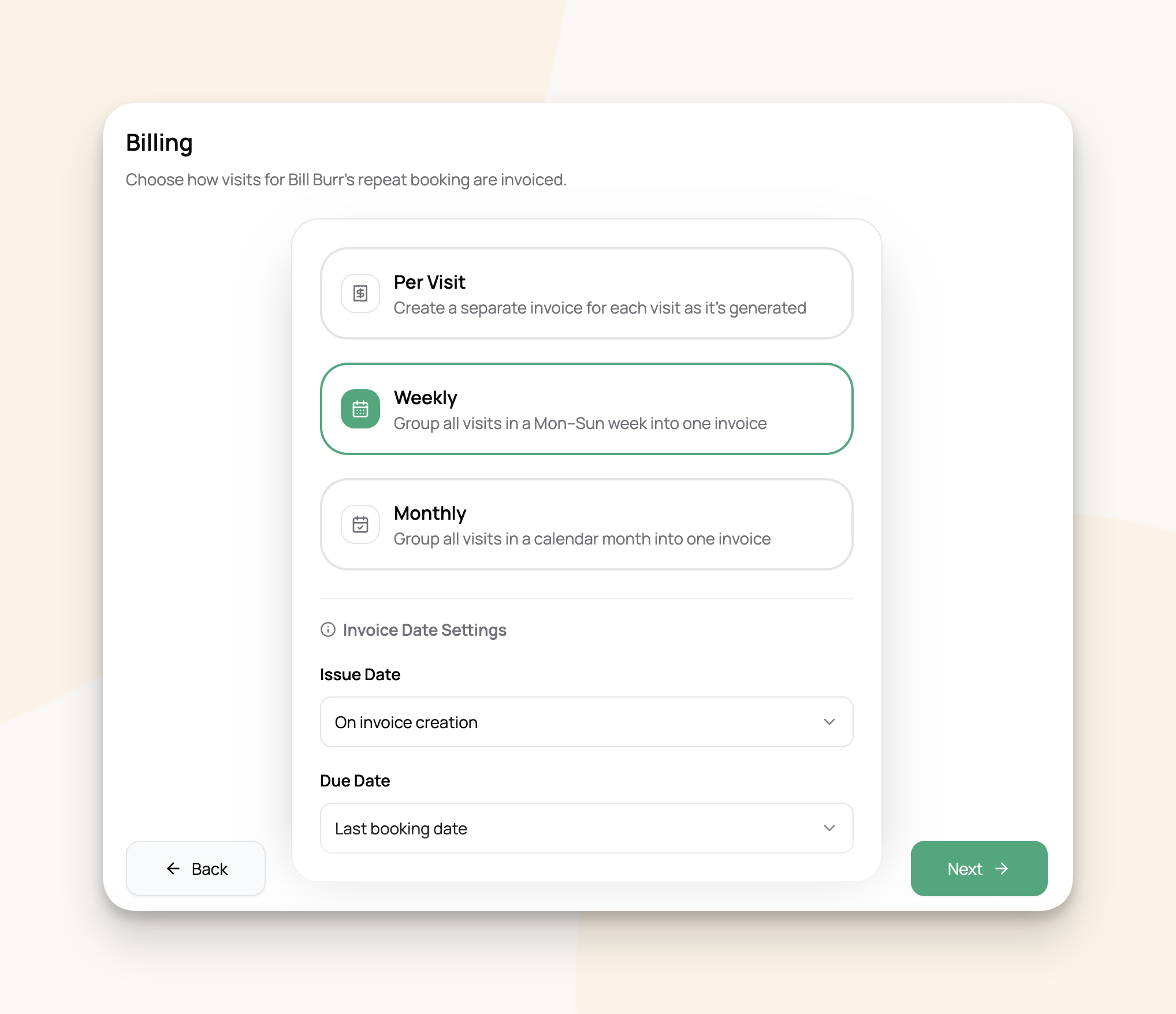
Pick a billing strategy
For example: the Johnson family's golden retriever gets walked Monday, Wednesday, and Friday.
On Per Visit: three invoices a week.
On Weekly: one invoice the following Monday listing all three visits.
On Monthly: one invoice on the 1st of next month with all ~12 visits from the previous month.
Invoice and due dates
Below the strategy, you control when invoices are dated and when payment is due.
Issue date (the date printed on the invoice):
On invoice creation (default).
First booking date in period.
Last booking date in period.
Due date (when payment is expected):
First booking date in period.
Last booking date in period.
Fixed days after issue date. Pick a number (14 for net-14 terms, for example).
These apply to every invoice the repeat generates. No need to set them on each visit.
How weekly and monthly invoices are created
Scritches creates these automatically when the billing period wraps up, overnight, so they're ready each morning.
Weekly: created Monday for the previous Monday through Sunday.
Monthly: created on the 1st for the previous month.
The current week or month stays open until it ends, so new visits can still be added to it.
Per Visit works differently: each invoice is created with its visit, no grouping involved.
Surcharges on repeat visits
Weekend, holiday, and extra-pet surcharges apply to repeat visits the same way they do to one-time bookings. They're calculated when each visit is generated and appear on its invoice.
For example: a Tuesday walk that lands on a holiday you've configured gets the holiday rate. A Saturday walk gets your Saturday surcharge.
Changing billing later
Open the repeat's detail page, click Edit on Settings, and pick a new strategy or update the date settings. Changes apply to future invoices only. Visits that have already been invoiced stay as they are.
For example: a Per Visit client asks to switch to Monthly. Their existing per-visit invoices stay put. From the next month forward, their visits are grouped into one monthly invoice.
Frequently asked questions
Are invoices sent automatically? They're created automatically based on the strategy. Sending them is a separate step, done from your normal invoice workflows.
What happens to invoices when I cancel a visit? Per Visit invoices that haven't been paid are cleaned up automatically. For Weekly or Monthly, the cancelled visit is excluded from the next period's invoice.
Can different repeats for the same client use different strategies? Yes. The Petersons could be Per Visit for their morning walks and Monthly for their evening drop-ins.
When exactly are weekly invoices created? Overnight on Monday, covering the previous Monday through Sunday.
What if I pause a repeat mid-week? Visits that already happened still get invoiced when the period closes. Pausing only prevents new visits from being created.
Can I manually create an invoice for a repeat visit instead? Per Visit invoices are created automatically. For Weekly or Monthly, the system creates them at period end. If you need an invoice sooner, create a manual invoice and assign the visits to it.
Was this helpful?
Still need help? Ask the team