Limiting How Many Bookings You Take On
Cap how many visits, stays or pets you take on in a day, for one service or several that share your time.
Written By Lucas Steflor
Last updated 13 days ago
On a good day you can fit a dozen walks and drop-ins, and not one more. Or you have room for three dogs overnight, and a family with two dogs fills two of those spots. Limits stop your booking page from taking more than you can handle, so you never have to cancel on a client.
Limits only stop clients booking online. You can always add a visit yourself, even on a full day.
Two ways to cap your day
Window caps are set on each window (How Service Windows Work). The rest of this article is about limits. You can use both.
Add a limit
-
Open Limits and choose Add limit.
-
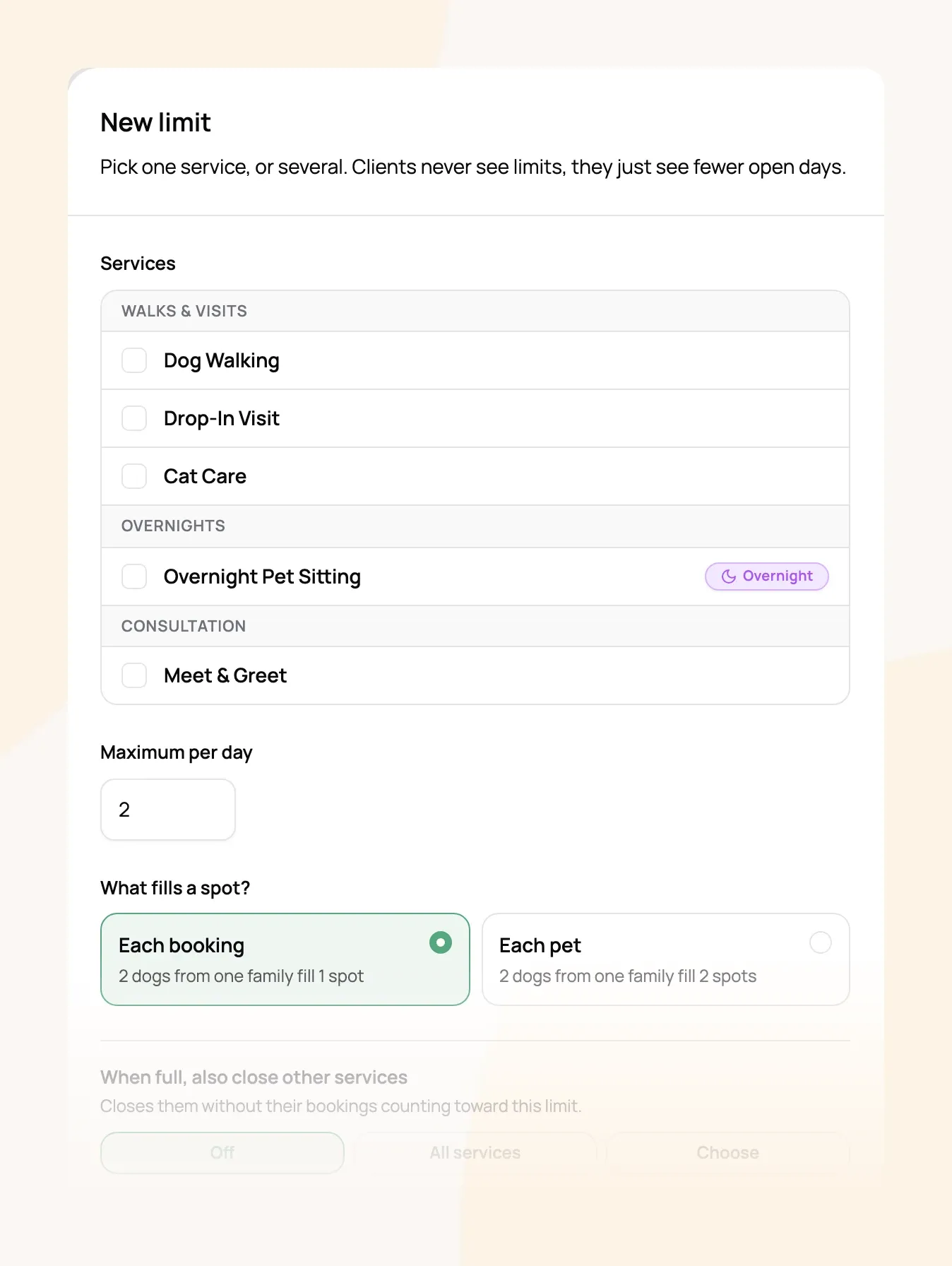
Tick the services it covers. Pick several if they share your time, like walks and drop-ins.
-
Set the Maximum per day, or per night for overnight stays.
-
Under What fills a spot?, choose Each booking or Each pet, then choose Create limit.
Each booking or each pet
-
Each booking counts every visit once, however many pets it's for. A booking with a morning walk and an evening walk takes two spots that day.
-
Each pet counts every pet. Use it when space is the limit, like boarding or daycare.
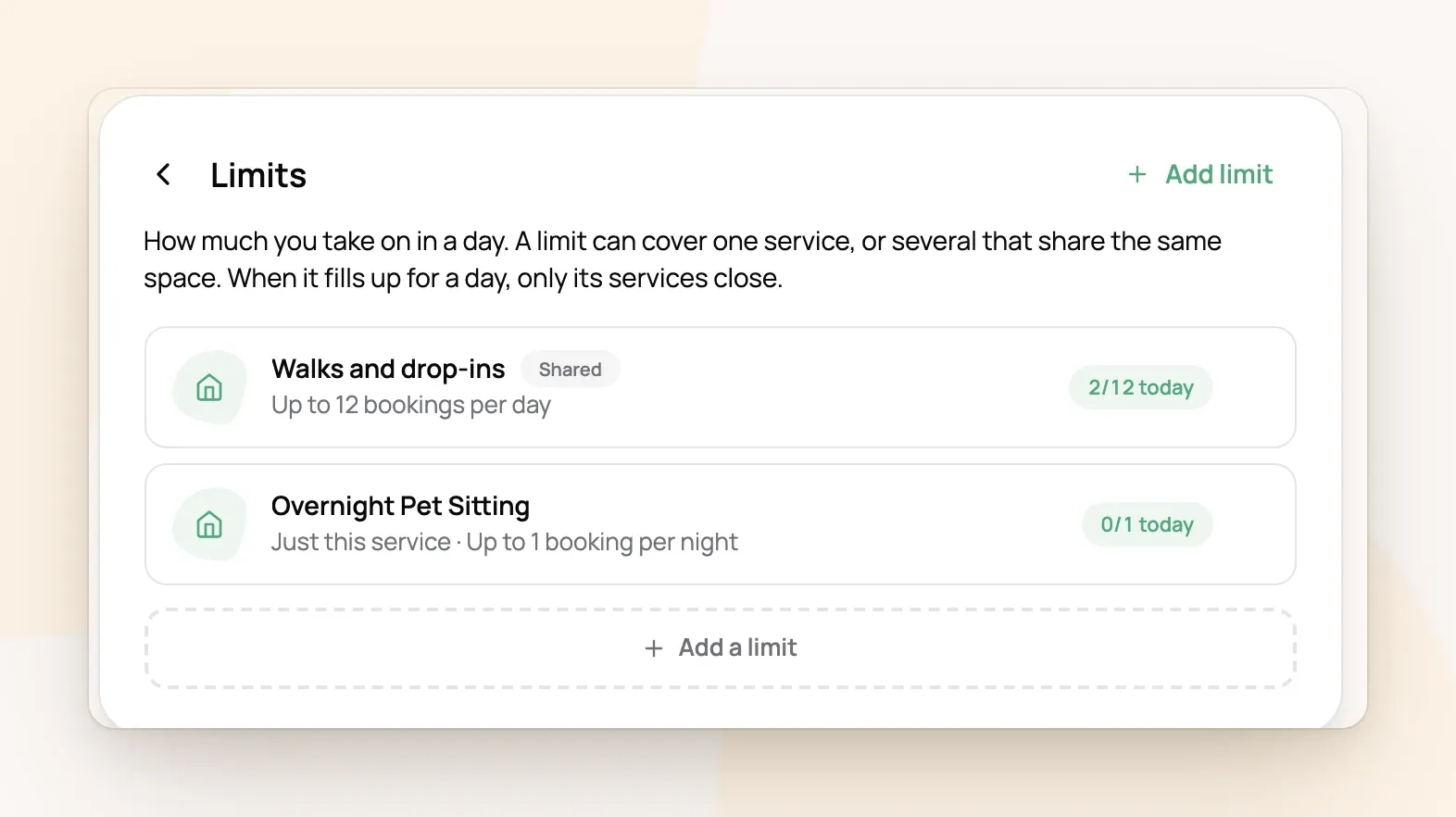
For example: Juniper Pet Co. shares one limit between Dog Walking and Drop-In Visit: up to 12 per day. When the 12th visit on a Thursday is booked, both services show Thursday as unavailable, while Cat Care, which isn't in the limit, stays open.
Limits for overnight stays
For stays charged per night, the limit counts nights. A stay fills every night from drop-off to the night before pick-up, and the pick-up day stays open so the next stay can start that evening.
For example: You board up to 3 dogs a night, counting each pet. The Smiths' two dogs stay Friday to Sunday, and the Joneses' one dog stays Saturday to Monday. Saturday night is full (3 dogs), so nobody can check in Saturday. A family with one dog can still stay Friday night, and a family with two dogs can check in Sunday.
Close other services when a limit fills
When full, also close other services closes more services on a full day without counting their bookings toward the limit. Choose All services, or Choose to pick them.
For example: When you're booked for an overnight house-sit, you can't take anything else that night. A limit of 1 per night on Overnight Pet Sitting that also closes all services keeps your whole calendar closed to clients for that night.
Frequently Asked Questions
Do requests I haven't answered count?
Do requests I haven't answered count?
Yes. A request holds its spot until you decline it. Declined and cancelled visits free their spot.
Do clients see my limits?
Do clients see my limits?
No. They just see a day as unavailable once it's full.
How do I see how full today is?
How do I see how full today is?
Each limit in Limits shows how many spots today has used, like "2/12 today".
Can a service be in more than one limit?
Can a service be in more than one limit?
Yes. A day closes for that service as soon as any of its limits is full.
A day is unavailable but no limit is full. Why?
A day is unavailable but no limit is full. Why?
Was this helpful?
Still need help? Ask the team