Turn Website Visitors into Clients with a ‘Book Now’ Button
Written By Lucas Steflor
Last updated Almost 2 years ago
Adding a "Book Now" button to your website is one of the simplest and most effective ways to boost your business. It makes it easier for your clients to book your services, which means more convenience for them and more bookings for you. Here's a step-by-step guide to help you get it done in no time!
Why Add a "Book Now" Button?
Your website is often the first place potential clients visit to learn about your services. By including a "Book Now" button:
You reduce missed opportunities: Clients are more likely to book when it’s quick and easy to do.
You simplify the booking process: Clients can book directly from your website without needing to call, email, or search for a booking link.
You look more professional: A clear call-to-action on your site shows you're serious about your business.
How to Add Your "Book Now" Button
Find Your Booking Link
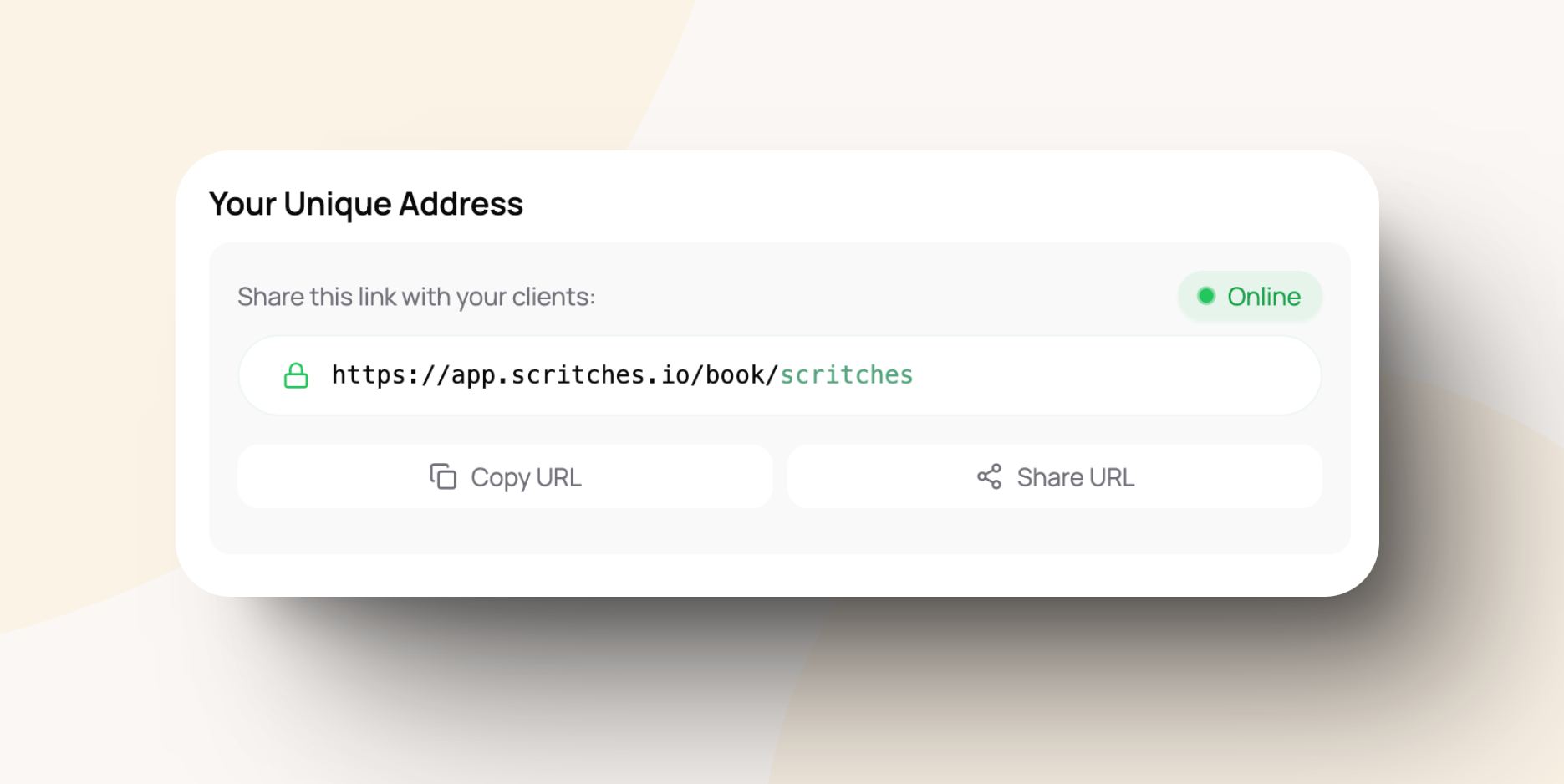
You could include a screenshot of the Scritches dashboard showing where users can find their booking link. Log in to your Scritches account at https://app.scritches.io.
Navigate to your online booking page settings to copy your custom link:
https://app.scritches.io/book/{bookingURL}.
Add the Button to Your Website Depending on how your website is built, here are a few quick tips:
Website Builders (e.g., Squarespace, Wix, WordPress, etc):
Add a new button element to your page.
Paste your Scritches booking link into the button's URL field.
Customize the button text to say "Book Now”.
For more details, please see individual website how-tos: Squarespace, Wix, WordPress, Weebly.
Custom Websites: If you or a developer is managing your site, add the following HTML where you want the button to appear:
<a href="https://app.scritches.io/book/{bookingURL}" target="_blank" style="padding: 10px 20px; text-decoration: none; color: #FFF; background-color: #53a57d; border-radius: 12px; font-size: 16px;">Book Now</a>
Test It Out Once you’ve added the button, visit your website to make sure it’s working properly. Click the button to confirm it takes clients to your Scritches booking page.
Where to Place Your "Book Now" Button
The placement of your "Book Now" button can have a big impact on how many clients use it. Here are some ideas:
Header: Include the button in your site’s main navigation so it’s visible on every page.
Homepage: Feature the button prominently above the fold (the area visible without scrolling) to grab attention right away.
Service Pages: Add the button near your service descriptions so clients can book as soon as they’ve read about what you offer.
Footer: Include it in your website footer so it’s always accessible, even when clients scroll to the bottom of your site.
Pro Tips
Make it stand out: Use colors that match your branding, but ensure the button pops against the rest of your page.
Use action-oriented text: Phrases like "Schedule Now," "Book Your Spot," or "Start Today" can encourage clients to click.
Mobile-friendly matters: Ensure the button is easy to see and tap on mobile devices, as many clients will visit your site from their phones.
Ready to Boost Your Bookings?
Adding a "Book Now" button is a small change that can make a big difference for your business. By making it easy for clients to book directly from your website, you're setting yourself up for success.
Need help or have questions? Reach out to us at support@scritches.io or check out more tips in our Help Center!
Was this helpful?
Still need help? Ask the team