Setting Up Your Services and Prices
Keep the services you offer, set your real prices and lengths, and decide how stays and extra pets are charged.
Written By Lucas Steflor
Last updated 13 days ago
When you signed up, you ticked a few services like Dog Walking and Cat Drop-in and moved on. Scritches filled each one in with sample prices you never saw, so your booking page might be offering a 45-minute walk for $30 when you charge $25 for half an hour. A few minutes here makes sure every price a client sees is yours.
Every service starts with sample prices and lengths. Check each one, including the free 30-minute Meet & Greet that signup adds for you.
Set your real prices and lengths
A service can have one price, or several pricing options for different lengths, like a 30-minute walk and a 60-minute walk. Clients pick the option they want when they book.
Open Services and choose a service. Then, under Pricing & Duration:
-
Choose an option to change its length or price, then choose Update Option.
-
To offer another length, choose Add Another Option.
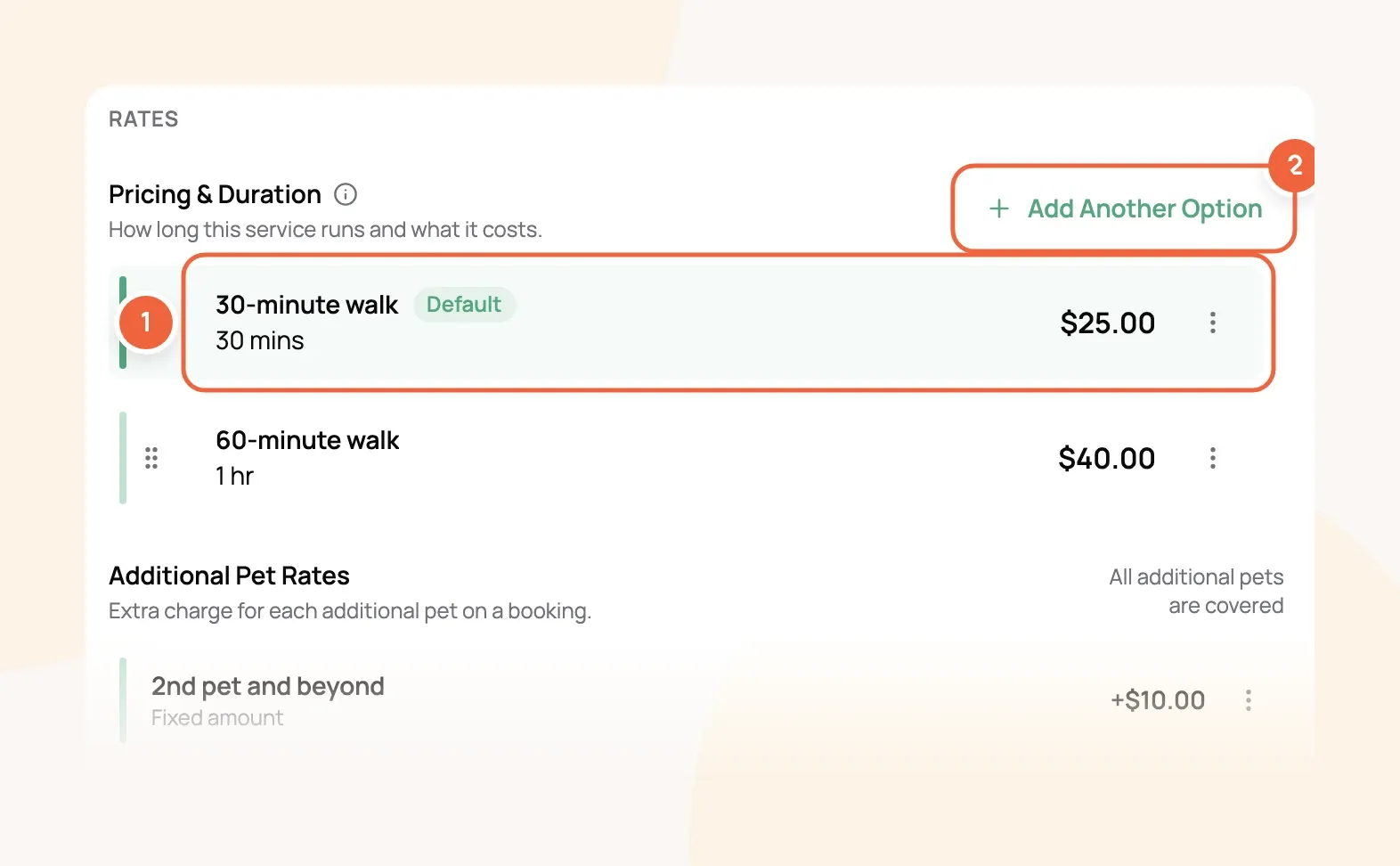
For example: Dog Walking has a 30-minute walk for $25.00 and a 60-minute walk for $40.00. The 30-minute walk is the Default, so it's already picked when a client opens Dog Walking on your booking page. To change which one is picked first, open the other option's menu and choose Set as Default Option.
Price changes save as soon as you update the option. You don't need to choose Update Service for them.
Remove services you don't offer
Services can't be deleted, but you can archive them. An archived service disappears from your booking page and from new bookings, and every past booking for it stays exactly as it was.
-
In Services, open the menu next to the service.
-
Choose Archive, then Archive Service.
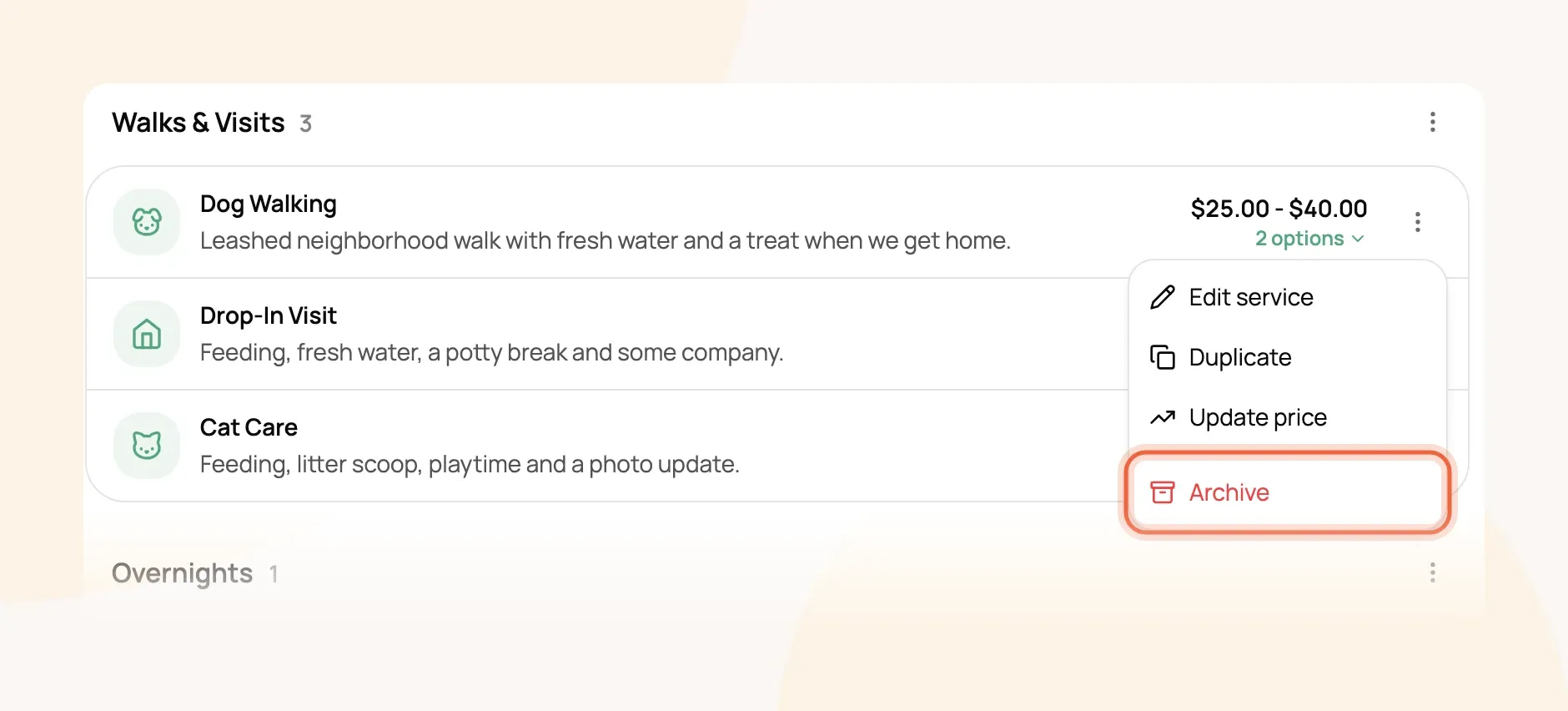
Changed your mind? Switch the filter at the top of the list to Archived, open the service's menu and choose Unarchive.
Charge stays per night or per day
Overnight sitting, boarding and daycare are stays: they run from a drop-off date to a pick-up date instead of a single time slot. Each stay charges one of two ways, set under Charging method when you open the service.
Only the dates count, not the times. Per night suits overnight sitting and boarding. Per day suits daycare, where a pet goes home every evening.
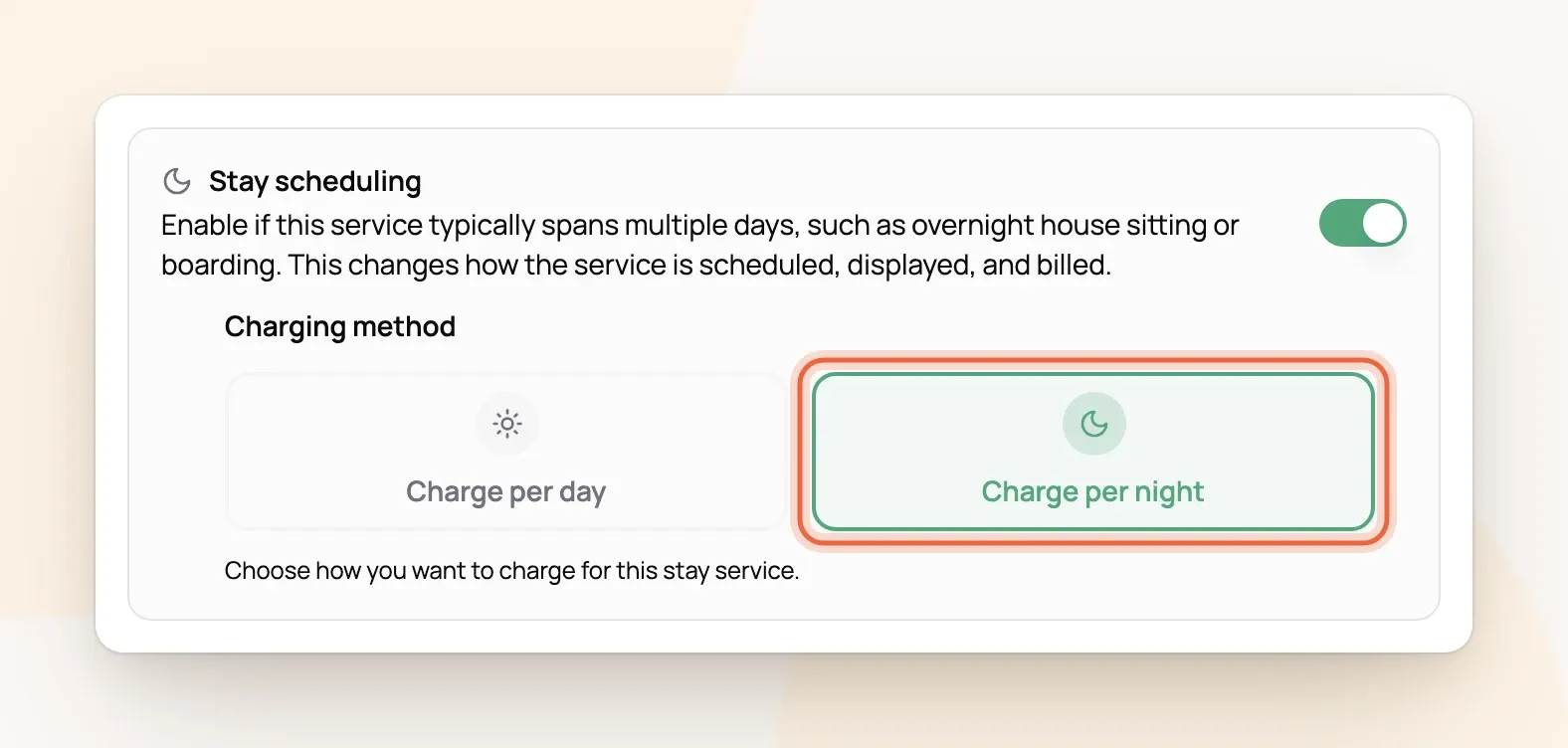
For example: Overnight Pet Sitting is $85.00 per night. Linda Peterson's cats stay four nights, Thursday to Monday, so the stay costs $340.00 before any extra pet charge.
Charge for extra pets
A second pet costs nothing until you set a price for it. Each service has its own Additional Pet Rates under its prices. The first pet is always included, and the extra charge is added to every visit, night or day of a booking.
For example: Dog Walking charges $10.00 for the 2nd pet and beyond. David Kim's 30-minute walk with Luna and Max comes to $35.00 a walk. Rates by species, percentages and how they apply to bookings you've already made are all covered in Charging for Additional Pets.
Changing a price later
Visits you've already booked keep the price they were booked at. New bookings use the new price, including new visits added to repeat bookings.
If you'd rather keep your current clients on their old price while new clients pay the new one, open the service's menu and choose Update price instead of editing the price directly. It walks you through choosing who keeps their rate (Raising or Changing Your Default Prices).
Frequently Asked Questions
Where do I set which days and times a service can be booked?
Where do I set which days and times a service can be booked?
In Availability, not on the service. Days, times and how much notice you need are all covered in Setting the Days and Hours Clients Can Book.
Can I charge one client a different price?
Can I charge one client a different price?
Yes. Give them a custom rate from their profile and it sticks even when you raise your prices (Setting a Custom Rate for a Specific Client).
Why is my Meet & Greet $0.00?
Why is my Meet & Greet $0.00?
Signup creates it as a free 30-minute visit for meeting new clients. Set a price like any other service if you charge for it, or archive it if you don't offer one.
Can I offer a service without clients booking it online?
Can I offer a service without clients booking it online?
Yes. Open the service and turn off Bookable by clients online. It disappears from your booking page, and you can still book it for clients yourself.
Do clients see the name of each pricing option?
Do clients see the name of each pricing option?
Yes. They pick from the option names and prices on your booking page, so names like "30-minute walk" work better than "Standard".
Was this helpful?
Still need help? Ask the team