Setting up your Intake
Edit your agreement, attach it to your intake form, and send that form to every new client before their first visit.
Written By Lucas Steflor
Last updated 13 days ago
Before you walk a new dog, you want the vet's number, an emergency contact, the lockbox code and a signed service agreement. Signup created an intake form and a sample agreement for you, but neither one goes to anybody until you connect them. Three quick steps and every new client fills out your form and signs your agreement before their first visit.
Nothing is sent to new clients until you choose a new client form. A published form on its own isn't asked of anyone.
Connect your form and agreement
Make the agreement yours
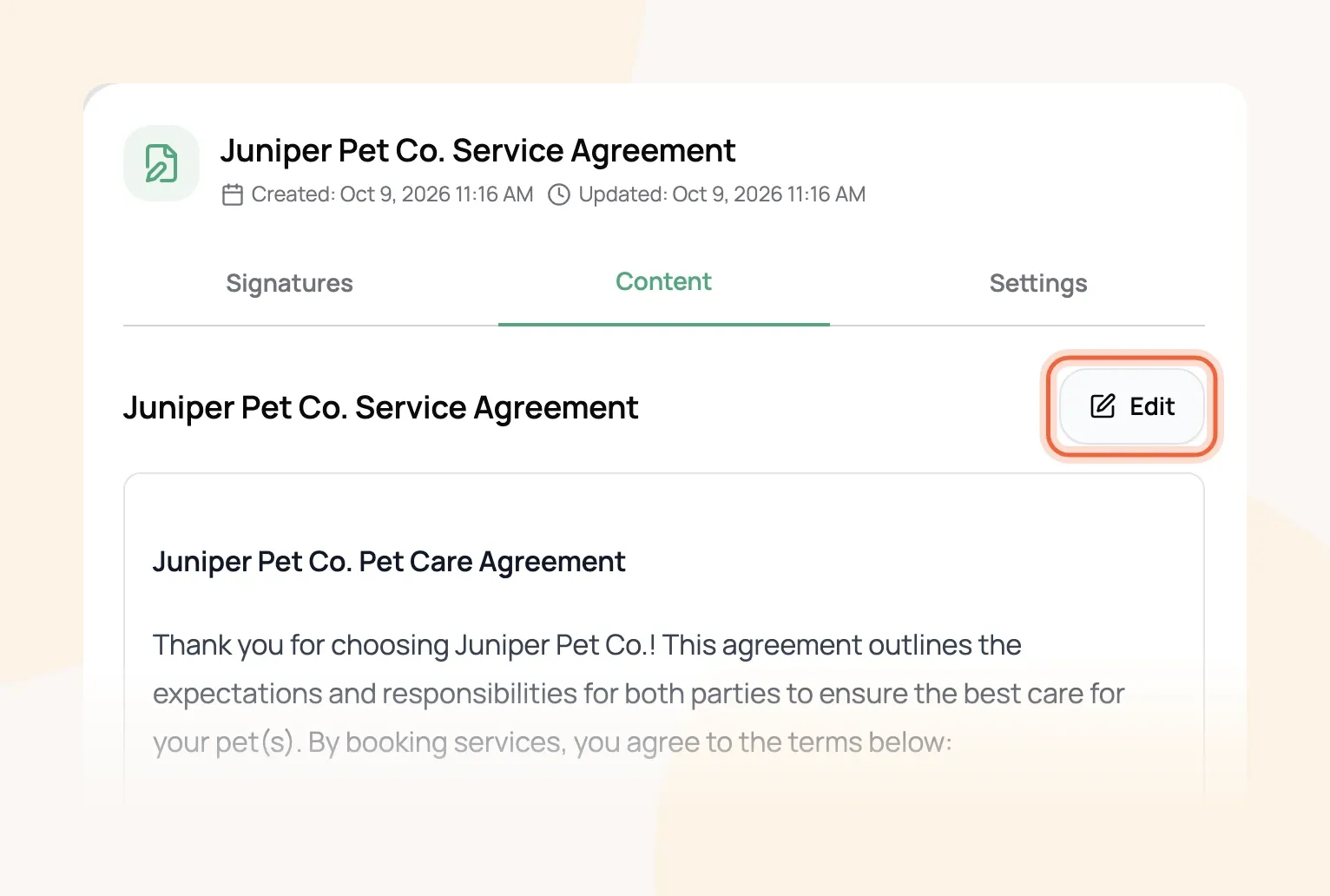
Open Document Center and choose the sample agreement. On the Content tab, choose Edit and rewrite it in your own terms, or upload the PDF you already use.
Attach it to your intake form
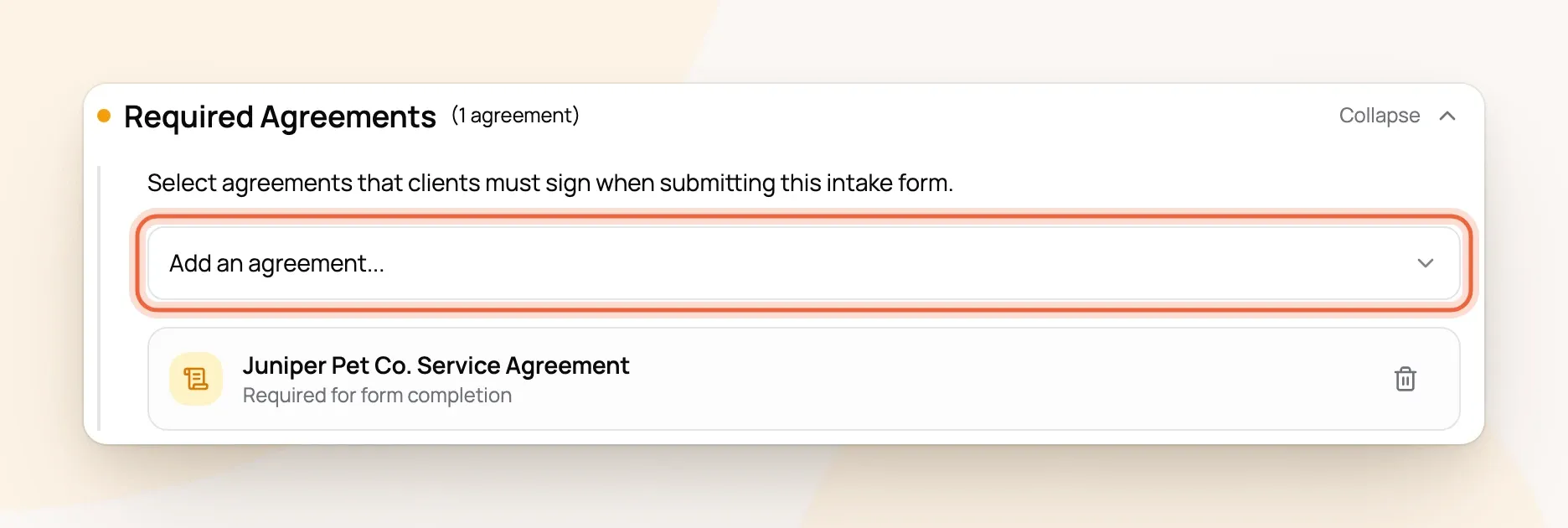
Open Intake Forms, go to the Settings tab and choose Edit Form on New Client Intake. Expand Required Agreements, pick your agreement from Add an agreement, and save the form.
Choose your new client form
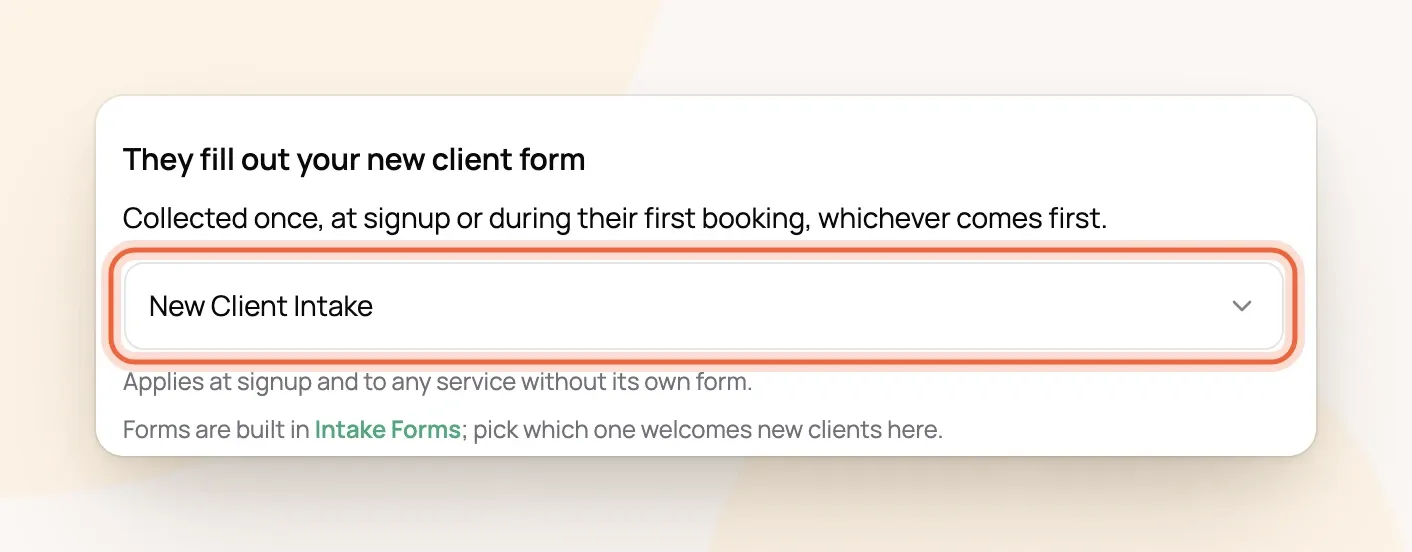
Open New clients and, under They fill out your new client form, pick New Client Intake.
For example: A new client books Dog Walking on Juniper Pet Co.'s booking page. Before they can send the request, they fill out New Client Intake, including Cooper's vet and feeding notes, and sign the service agreement by typing their full name. Their answers land on their client and pet profiles automatically.
Who gets the form, and when
-
New clients who book online fill it out during their first booking, or when they sign up for their portal, whichever comes first.
-
Clients you add yourself get it when they accept your welcome email. They can't see their portal until it's done. Sending that email is covered in Adding Your Clients and Inviting Them to Their Portal.
-
Clients you already had are asked once, the next time they book online.
Bookings you make for a client are never held up by the form.
Add the details you track
The form already asks for contact details, an emergency contact, access instructions, and each pet's breed, medications, feeding schedule and vet. To ask something more, like a crate location or how they heard about you, add a field in Client & Pet Info and set Who can see it to Client can view & edit. Fields only clients can view, or only your staff can see, never appear on forms.
New fields are added to forms you create from now on, not to New Client Intake. To add one there, edit the form, choose Add Question, and pick it from the Existing field tab. More on building forms in Configuring Intake Forms.
Collecting signatures from clients you already have
Open the agreement in Document Center and choose Send Agreement to email it to as many clients as you like at once. Signed copies show on the agreement's Signatures tab and on each client's profile, under Files & Forms.
Frequently Asked Questions
Should I turn on Required for New Clients on the agreement?
Should I turn on Required for New Clients on the agreement?
No. Attach it to your new client form instead. Using both can skip one of them, so stick with the form.
If I change my agreement, do clients have to sign again?
If I change my agreement, do clients have to sign again?
No, and clients who already signed will see the new wording. For a big change, create a new agreement and send it for signature.
How do clients sign?
How do clients sign?
They type their full legal name, and Scritches records it with the date and time. Only the client signs; your agreement is already yours.
Can I have a different form for overnight stays?
Can I have a different form for overnight stays?
Yes, on the Solo Pro plan or higher. Give a service its own form from the form's Online Booking section, and it's used for that service instead of your new client form.
A form came in from someone who isn't a client yet. Now what?
A form came in from someone who isn't a client yet. Now what?
Open it from the Submissions tab in Intake Forms and create or merge their profile (Processing Intake Form Submissions).
Was this helpful?
Still need help? Ask the team