How Service Windows Work
Why clients book a part of the day instead of a clock time, what you and your clients each see, and how window limits work.
Written By Lucas Steflor
Last updated 13 days ago
Your morning route changes every day. Cooper's walk might be at 8:15 one day and 10:30 the next, depending on who else you're seeing. If clients picked an exact time, you'd spend your evenings texting them to move it. Service windows let a client book "Tuesday morning" and leave the exact time to you.
A window is a promise, not an appointment
A service window is a part of the day you're out working, like Morning, 7:00 AM to 11:00 AM. When a client books a window, they're agreeing that you'll arrive sometime within it. They don't pick a minute, and you don't promise one.
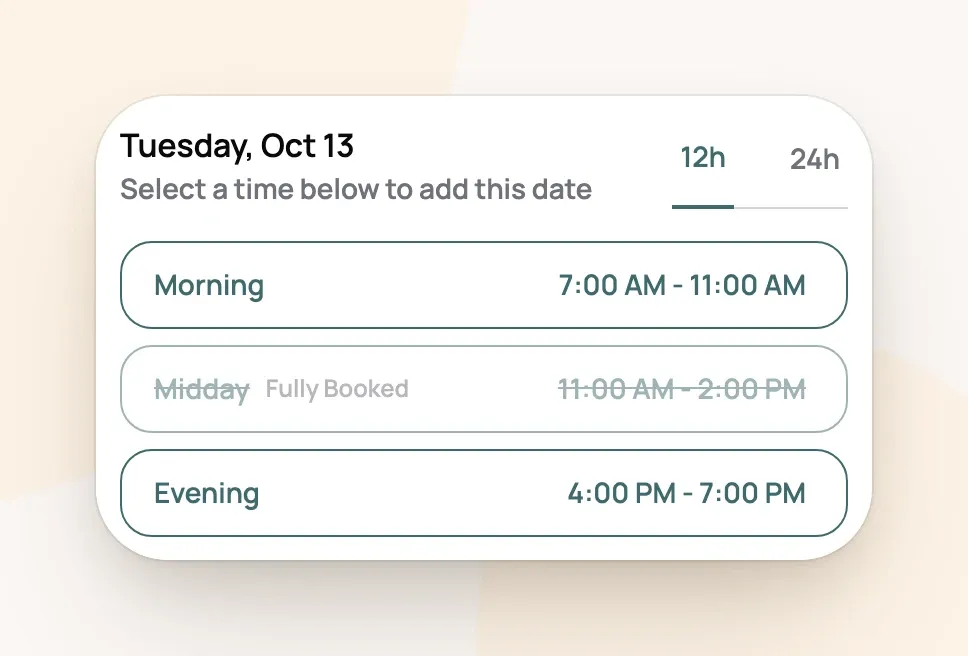
For example: Sarah Smith books a 30-minute walk for Bella and picks Tuesday, Morning 7:00 AM - 11:00 AM. She can add more dates or windows to the same booking before she sends it, and each one becomes its own visit.
What you see, and what your client sees
-
You see the visit on your calendar at the start of its window, so Bella's walk lands at 7:00 AM. Drag it to the time you'll really be there. The window's name stays on the visit.
-
Your client keeps seeing "Morning 7:00 AM - 11:00 AM" on their booking, even after you move the visit, so you never have to tell them the exact minute. Invoices show the window's name too.
If you'd rather a client see the exact time on a visit you book, turn on Show exact times on the booking's last step. To let clients pick the time themselves, see Letting Clients Pick an Exact Start Time.
Windows are shared by your services
You set your windows once, and each service chooses which ones it offers on which days. So Dog Walking can offer all three windows on weekdays while Cat Care skips Midday. A window only shows up on your booking page for a service that offers it that day.
Changing a window's times changes it for every service that uses it. Visits already booked keep their times. To add, rename or retime your windows, open Service windows (Setting the Days and Hours Clients Can Book walks through it).
Cap how many visits fit in a window
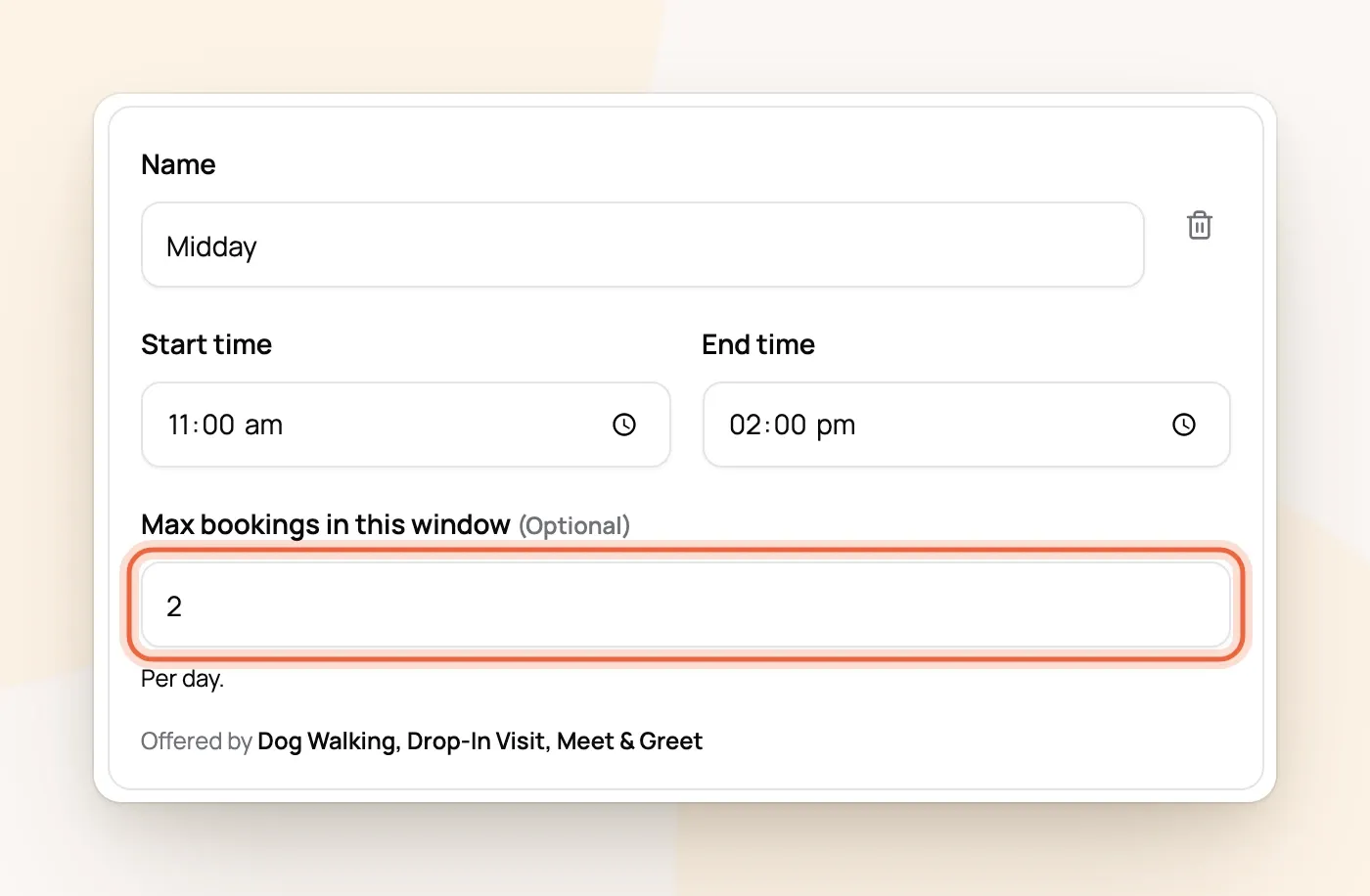
Each window can have a Max bookings in this window, a number of visits you'll take in it per day. Once a day's window is full, clients see it as Fully Booked and can still pick the other windows that day.
-
The cap counts every service in that window, so two walks and a drop-in are three visits.
-
It counts visits you book yourself, and requests you haven't answered yet.
-
It only stops clients. You can still add a visit yourself; you'll just see a warning.
For example: Midday is capped at 2. On Tuesday, Megan O'Brien's 11:30 walk and Hannah Lee's 12:30 walk fill it, so a client looking at Tuesday sees Midday as Fully Booked and books Morning or Evening instead.
To cap a whole day instead of one window, or count pets instead of visits, use a limit (Limiting How Many Bookings You Take On).
Windows can overlap
New accounts start with Morning (6 AM to 12 PM) and Midday (11 AM to 4 PM), which share the hour from 11 to 12. Clients see both as separate choices, and each keeps its own cap. If you don't want the overlap, change one of their times.
Frequently Asked Questions
Can I turn windows off completely?
Can I turn windows off completely?
No, you always keep at least one. If clients should pick exact times, switch those services to exact start times, and a single wide window like 9 AM to 5 PM is all you need.
Why does my invoice say "Morning" instead of a time?
Why does my invoice say "Morning" instead of a time?
Invoices show the window the visit was booked in, the same thing your client saw when they booked.
Do windows matter if I don't take online bookings?
Do windows matter if I don't take online bookings?
A little. Visits you book are still labeled with the window they fall in, and window caps warn you when you're overbooking yourself.
Do overnight stays use windows?
Do overnight stays use windows?
No. Stays use their own arrival and departure times for each day, set on the overnight service's availability.
A client can't see a window I just made. Why?
A client can't see a window I just made. Why?
No service offers it yet. Add it to your services when you create it, or tick it in each service's weekly schedule.
Was this helpful?
Still need help? Ask the team