Blocking Off Time for Vacations and Appointments
Close your booking page for a trip, a sick day or a vet appointment, for every service or just some.
Written By Lucas Steflor
Last updated 13 days ago
You're off to the coast for a long weekend in November, and the last thing you want is a new client booking a walk while you're gone. Blocked time closes those dates on your booking page, shows them on your schedule, and reopens on its own when you're back.
Block off time
-
Open Blocked time. You can also add it from your schedule, under Add, then Blocked Time.
-
Give it a title. Only you see it, so "Coast trip" or "Dentist" is fine.
-
Set the Start Time and End Time. For whole days, start at 12:00 AM on the first day and end at 11:59 PM on the last.
-
Leave Affects all services on to close everything, or turn it off and choose the services it applies to. Then choose Add Blocked Time.
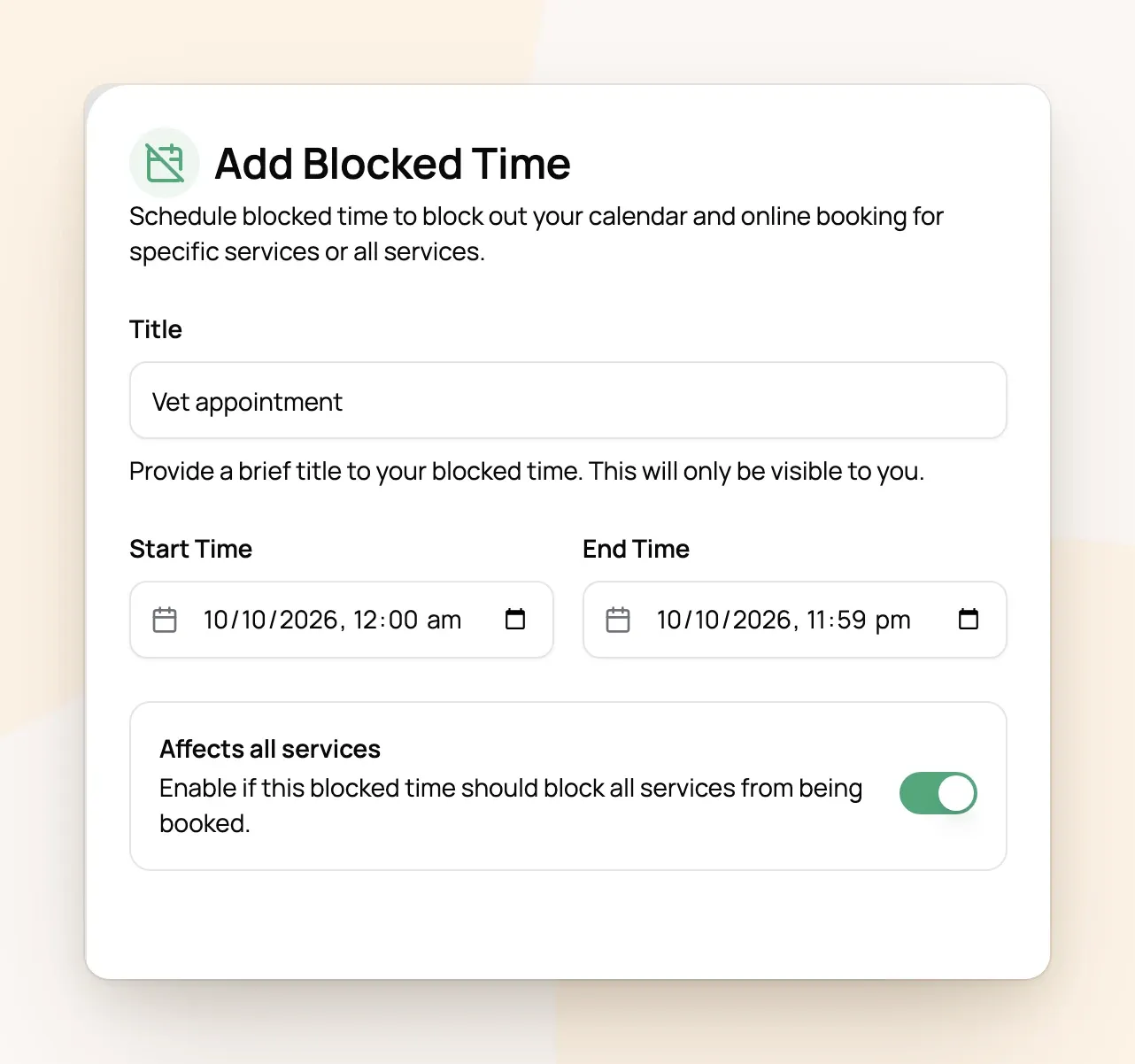
For example: Jess blocks off "Family trip" from 12:00 AM on Wednesday to 11:59 PM on Saturday. Clients can't pick any of those four days for any service, and the trip shows on her schedule as blocked time.
Short blocks close the whole window
Blocked time doesn't cut a hole in a service window. If it touches a window at all, that window is closed for the day.
-
A vet appointment from 10:00 to 10:30 AM closes all of Morning (7:00 to 11:00) that day. Midday and Evening stay open.
-
A block that ends exactly when a window starts doesn't touch it: 10:00 to 11:00 AM leaves Midday (11:00 AM to 2:00 PM) open.
-
For services with exact start times, only the times it overlaps are removed (Letting Clients Pick an Exact Start Time).
-
For overnight stays, any blocked time on a date closes that whole date.
Visits you've already booked
Blocking off time only stops new online bookings. Visits already on your calendar in that time stay booked, so move or cancel them yourself and let those clients know.
Frequently Asked Questions
Do holidays close my calendar?
Do holidays close my calendar?
No. Holidays only add your holiday rate. Block the time for any holiday you take off (Holiday & Weekend Surcharges).
Can I block the same time every week?
Can I block the same time every week?
Not with blocked time, which is for one-off dates. For a day you never work, untick it in each service's weekly schedule (Setting the Days and Hours Clients Can Book).
Should I turn off online booking while I'm away?
Should I turn off online booking while I'm away?
Usually not. Turning it off closes your booking page for every date, including after you're back. Blocked time only closes the dates you're away and reopens on its own.
How do I change or remove blocked time?
How do I change or remove blocked time?
Open it from the Blocked time list or your schedule. Change it there, or use the trash icon to remove it.
Was this helpful?
Still need help? Ask the team